


Intro
Across insurance operations, from carriers and intermediaries to claims administrators and assistance providers, there are plenty of opportunities to automate manual work. But which ones are worth investing in?
Consider claims handling. AI might reduce the time employees spend extracting information from incoming documents, but that's only one step in the process. If a claim still spends days waiting for missing information from a customer or another insurer, faster data extraction won't make much difference to the overall turnaround time.
Effective insurance workflow automation starts with the business process, not the individual task. You need to know where time and resources are spent, what causes delays, and where investment will deliver measurable value. Only then can you decide which workflows within that process to change.
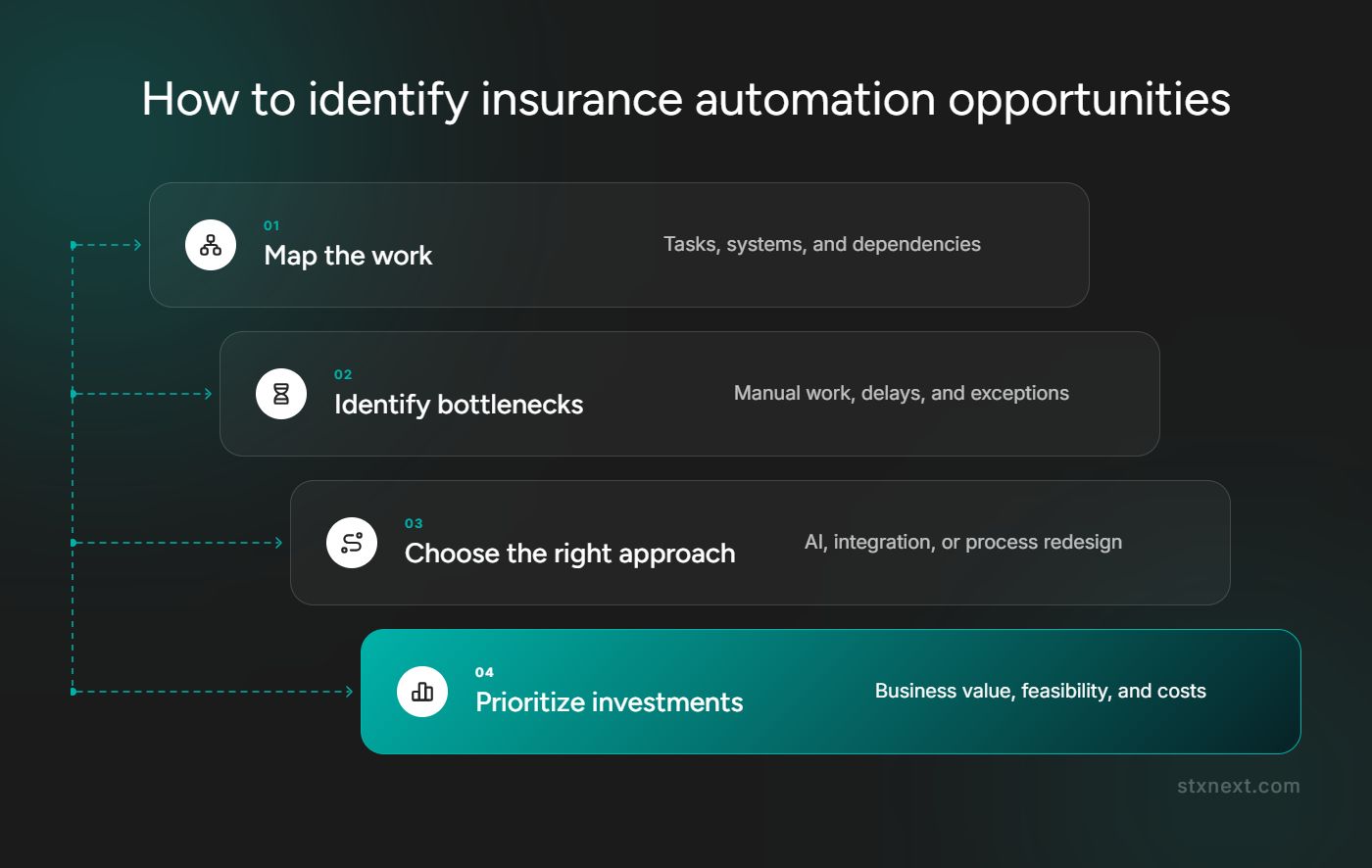
Four steps help insurance organizations decide where to invest:
- Map the process and the workflows within it to identify manual tasks, delays, exceptions, and system dependencies.
- Compare solutions to determine whether AI, conventional automation, integration, system consolidation, or process changes offer the best approach.
- Prioritize opportunities based on operational impact, feasibility, and potential savings.
- Build a business case using transaction volumes, processing times, implementation costs, and expected returns.
What happens when insurers automate the wrong workflows?
Insurers risk disappointing or even negative returns when they prioritize low-impact processes or automate individual tasks without considering the rest of the process. The technology may perform as expected while significant delays and manual work remain.
Claims administration provides a good example. AI is often used to extract information from incoming documents and reduce data entry time, whether the work is handled by an insurer or a third-party administrator. But when documentation is missing, the claim still goes through additional checks and follow-ups before assessment begins.
If teams have to wait several days for data from a customer, partner, or another organization, faster data entry does little to shorten the overall processing time. In my experience, a large share of process time is spent exactly there: waiting for the other party and following up. Automating your own steps doesn't shorten that wait. And even when document-reading tools are available, employees still need to check incoming information against internal records and update the relevant systems.
The expected savings may also be reduced by:
- Document quality and exceptions. Poor-quality scans, handwritten notes, and inconsistent formats require employees to check or correct extracted information.
- Manual handoffs. Employees continue transferring information between systems or verifying the same data at multiple stages.
- Ongoing costs. Integrations, maintenance, and human review add operating expenses, particularly when underlying systems change.
Even a high-volume process delivers limited savings if automation only removes a few minutes of work per case, still requires extensive manual review, or involves costly integrations. When deciding where to invest, weigh the expected savings against the cost of implementing and maintaining the solution.
Which insurance processes could benefit from AI?
Brokers, MGAs, claims administrators, and assistance providers handle incoming requests, exchange information with external partners, and use multiple systems to manage their work. AI handles tasks such as extracting information, classifying requests, and identifying discrepancies. With appropriate system access and controls, AI agents can also coordinate multiple steps, including running checks, updating records, and routing cases for review.
Let’s have a look at some examples:
How to identify and prioritize opportunities
To identify worthwhile automation opportunities, insurance organizations first examine the broader business process. Understanding its tasks, systems, delays, and dependencies helps establish which workflows are worth improving and whether those changes would deliver meaningful savings.
AI-assisted process mapping
Written procedures may leave out manual steps, exceptions, and workarounds. AI-assisted process discovery documents these details and shows where information is missing, so teams are able to tell verified findings from assumptions.
AI also changes who carries the cost of mapping. Detailed mapping used to take employees away from their work for repeated interviews. Now they show their work in recorded workshops, and our purpose-built agent pipeline takes on the heavy documentation work: drafting the maps and checking every step against the source. The effort shifts from the client's team to the method.
At STX Next, we've applied this method in one-to-one workshops with employees. The approach follows four steps:
- Observe the work. Employees walk through their tasks during recorded workshops, showing on screen which systems they use and how they handle exceptions. We note which steps were shown and which were only described.
- Create process maps. Our own agent pipeline, built specifically for process discovery, analyzes the transcripts and recordings, one agent per process. Each step is linked to an exact quote and timestamp, and anonymized screenshots show the screens involved. Where the source says nothing, the map shows an explicit gap instead of a plausible guess.
- Verify the findings. A separate agent checks every quote against the transcript and flags steps that go beyond what was actually said.
- Review with process owners. The people responsible for each process review the maps, correct them, and accept them.
The resulting maps reveal duplicated data entry, repeated checks, unnecessary handoffs, and dependencies on external organizations. Every element can be traced back to evidence. That matters when someone later builds a business case on the map: a map that looks right but isn't true leads to savings that never appear.
Transaction volumes and handling times then help estimate potential savings, while system access, integration requirements, and technical constraints help assess implementation effort.
What makes an automation opportunity worth pursuing?
When several opportunities compete for the same budget, a generic scoring matrix rarely reflects how decisions are really made. In my experience, decision-makers come back to a handful of practical questions:
These questions don't replace numbers. They decide which opportunities are worth calculating in detail.
Consider document intake as an example. Automation potential depends partly on the quality and consistency of incoming files. When formats are predictable, the information to extract is clearly defined, and validation rules are established, more work is suitable for automation. Poor-quality scans, handwritten forms, and frequent exceptions leave more manual work in place, reducing the expected savings.
Feasibility depends on the systems involved. A solution that connects to an existing policy or claims system through supported interfaces is often easier to implement than one requiring substantial changes to a legacy platform or workarounds for an application owned by an external partner.
Could you eliminate the work instead of automating it?
Not every repetitive task is an automation candidate. When employees switch between several systems and re-enter the same data, the root cause is often a gap between those systems, or simply too many of them. In those cases, consolidating systems or closing the gap in one of them offers a way to eliminate the manual work rather than simply automate it.
The comparison to make is the cost and benefit of changing the system versus the cost of automating today's behavior. That includes the cost of maintaining the automation as the underlying systems keep changing.
What does automating a selected insurance workflow involve?
Process mapping helps identify where improvements are most valuable. Once an opportunity has been selected, the next step is to decide how the relevant workflow should operate, including which tasks to automate and which require human involvement.
In document intake, this could involve using AI to extract information, automated rules to check it, and integrations to update internal systems. The table compares the existing sequence of steps with a possible redesigned version.
The key word is "update". An intermediate mode, where AI suggests values and an employee still types them into the system, rarely saves time. Most of the gain comes from the automation completing the entry itself.
The redesigned workflow also depends on whether the necessary systems are accessible and updated. Insurers often rely on applications owned by external partners that they cannot modify or integrate with directly.
In these situations, robotic process automation (RPA) offers another way to automate data entry. Instead of connecting systems through APIs, RPA interacts with the application's interface, much like an employee would. It can navigate screens, enter information, and complete repetitive tasks without changes to the underlying system.
This approach requires maintenance because it depends on the application's interface remaining consistent. If a partner changes that interface, automated steps may stop working until they are updated and tested. Before relying on RPA in a partner's system, agree three things with the system owner:
- Permission for an automated user to work in the system, so it isn't blocked later.
- Limits on parallel work
- Advance notice of interface changes, to allow time for updates and testing.
What makes insurance workflow automation reliable?
Before implementing automation, insurers need to understand how it will handle missing information, exceptions, and system failures. An AI readiness evaluation for insurance helps identify these risks and determine what needs to be in place for the solution to work reliably.
Five areas require attention:
- Data quality. Are policy, claims, and underwriting records accurate and complete? Does the existing insurance data platform provide consistent information across systems?
- System access and ownership. Insurers don't always control the applications involved in a process. When a key system belongs to a partner, integration depends on the access and functionality that partner provides.
- Exceptions and human oversight. Define how cases requiring follow-ups, manual review, or judgment will be handled. Cases the automation can't complete should return to the team's queue or to a named person, not disappear.
- Compliance and auditability. Does the solution meet applicable data protection requirements, including GDPR? Are automated actions and decisions traceable? Check whether data residency or deployment restrictions require in-region processing, private infrastructure, or on-premise deployment.
- Monitoring and maintenance. Monitor failures and changes to connected applications, and establish procedures for updating and testing affected workflows.
Assign responsibility for these activities before launch. Employees must know who investigates failed transactions, when to intervene, and who has the authority to pause the system.
How to build the business case and validate automation opportunities
Start by estimating how much manual work the proposed automation would remove. Then determine whether those time savings translate into lower costs, additional processing capacity, or both.
Process discovery shows the structure of the work: steps, systems, the data handled at each step, and where work waits and on whom. What it rarely shows on its own is how often employees perform those tasks or how long they take. Without those figures, any return-on-investment estimate is a hypothesis. That's why we treat collecting operational data as a separate step, not an afterthought.
Use operational data to assess:
- Expected benefits. Calculate potential time savings using case volumes and handling times, accounting for work that remains manual. Separate direct cost reductions from additional employee capacity. Saving 500 hours, for example, won't automatically lower payroll costs, but it could allow the team to handle more cases without hiring.
- Total costs. Include development, integration, software licensing, testing, monitoring, maintenance, and ongoing human review. Compare usage-based licensing charges, such as per-document or per-claim fees, with the development and long-term ownership costs of a custom solution.
- Shared investments. Identify integrations or system improvements that support several processes and account for their costs and benefits across projects.
Measure reductions in manual handling time and end-to-end turnaround time. Track exception rates, straight-through processing (STP), and cost per case, then use projected savings and total costs to estimate the payback period.
Compare the business cases to determine which initiatives to implement first, which depend on shared system improvements, and which require further validation.
Before rolling out automation more widely, test it with representative documents and unusual scenarios identified during discovery. Compare the results with your targets and check how much manual work remains. Strong accuracy on clean sample documents doesn't guarantee reliable performance in production.
Use these findings to decide whether to expand the automation, make adjustments, or reconsider the investment.


